Gnomad Slate on Nobara: Linux Alpha Ships as v2.1.0-beta.3
One repo, no fork — tray, Super+Shift+Space summon, RPM/DEB, unified quit lifecycle, and a full day of multi-model review on Fedora/Nobara.
- tauri
- gnomad-slate
- linux
- nobara
- desktop
Why this session mattered
I didn’t want a Linux fork of Slate — I wanted the same repo to feel native on Nobara. macOS stays beta; Linux ships as alpha, but it’s installable, reviewable, and dogfooded on my daily machine.
Today’s work (logged in the repo as docs/LINUX_SESSION_2026-06-23.md) took Slate from macOS-first beta to a first-class Fedora/Nobara desktop build: tray, platform-split menus, packaging, and a quit lifecycle that actually exits instead of leaving a zombie process behind the global shortcut plugin.
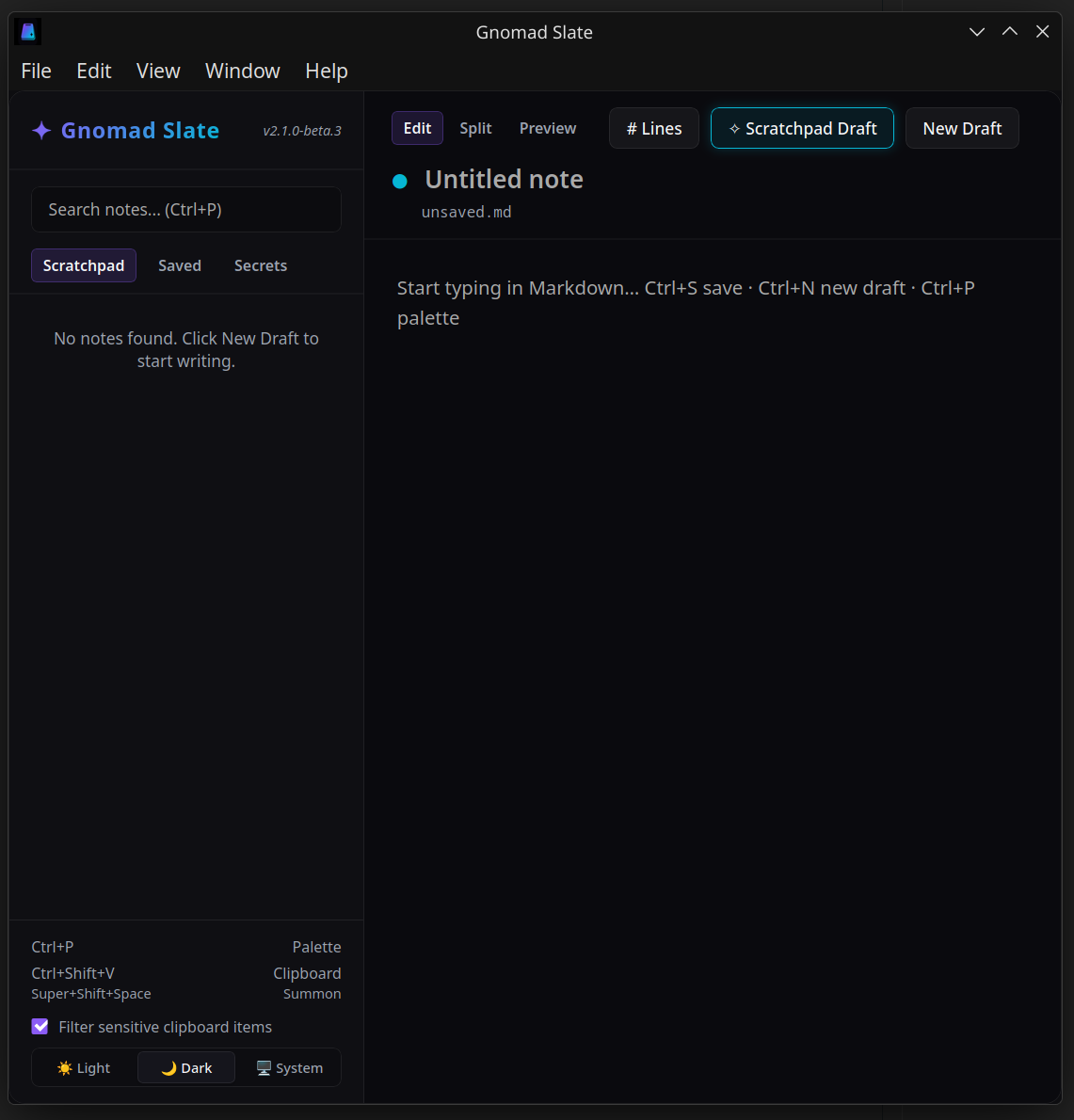
AI-assisted, human-verified — GLM, Kimi, Qwen, and Nemotron reviews; the screenshot above is from the build running on my desktop after the fixes landed.
What shipped in v2.1.0-beta.3
| Area | Linux change |
|---|---|
| Shell | System tray (Show / Hide / Quit), Super+Shift+Space summon |
| Menus | menu/linux.rs — File/Edit/View/Window/Help with Ctrl accelerators |
| UX | Filename on its own row, line numbers toggle, F1 Help, in-app dialogs (no WebKit alert()) |
| Packaging | gnomad-slate binary, RPM + DEB, .desktop entry, libsoup3 deps |
| Quit | Unified confirm_quit — vault lock, app.exit(0), Linux process::exit(0) |
macOS keeps Option+Space and hide-on-blur launcher behavior. Linux hides on Close / X but stays in the tray for summon — only Quit kills the process. That matches how I use it as an operator scratchpad, not a single-window app.
The bug that almost shipped
The nastiest find: isLinux was captured once at React mount. If @tauri-apps/plugin-os wasn’t ready yet, quit paths called win.destroy() instead of confirm_quit — and the global shortcut plugin kept Tokio alive, so File → Quit looked broken.
Fix: call isLinuxDesktop() at invocation time, add File → Close (Ctrl+W) and File → Quit (Ctrl+Q), remove GTK’s predefined Quit menu (it bypassed our lifecycle).
Verification on my box:
pgrep gnomad-slate          # after Close: still running (expected)
# after File → Quit or tray Quit:
pgrep gnomad-slate || echo OK
Install on Nobara / Fedora
sudo dnf install ./Gnomad\ Slate-2.1.0-beta.3-1.x86_64.rpmBinary: /usr/bin/gnomad-slate
Release assets: github.com/davidthegnomad/gnomad-slate/releases
Apps hub: davidcole.cloud/apps
If WebKit misbehaves on pure Wayland from a terminal, I launch with:
GDK_BACKEND=x11 WEBKIT_DISABLE_DMABUF_RENDERER=1 gnomad-slateDev loop uses npm run tauri:dev:x11 for the same reason.
How I use it in the swarm
Slate holds session glue — API scratch lines, vault entries for client keys, clipboard history with sensitive filtering. The ORGANIZATION hub stays in git; Slate is what I summon when Cursor context is already full.
Linux alpha channel means auto-updater artifacts are still off in CI until signing secrets land — fine for now. I’d rather ship RPM/DEB I can dnf install than wait for perfect AppImage on every local build.
What I’d do differently
I should have unified quit lifecycle before the first local RPM install, not after Kimi/Qwen flagged it in review. Multi-model review caught it, but dogfooding quit on install day would have saved an evening.
Continued in: Gnomad Slate: Three Platforms in One Week — beta 4 Wayland menu fix, Windows alpha in slate_win64/, and NIM security reviews.
Next: wire Tauri updater signing for Linux alpha, publish latest.json on davidcole.cloud/apps/slate, and keep the platform split in one repo — same pattern we used for gnotes-linux, but Slate didn’t need a fork until Windows forced the issue.